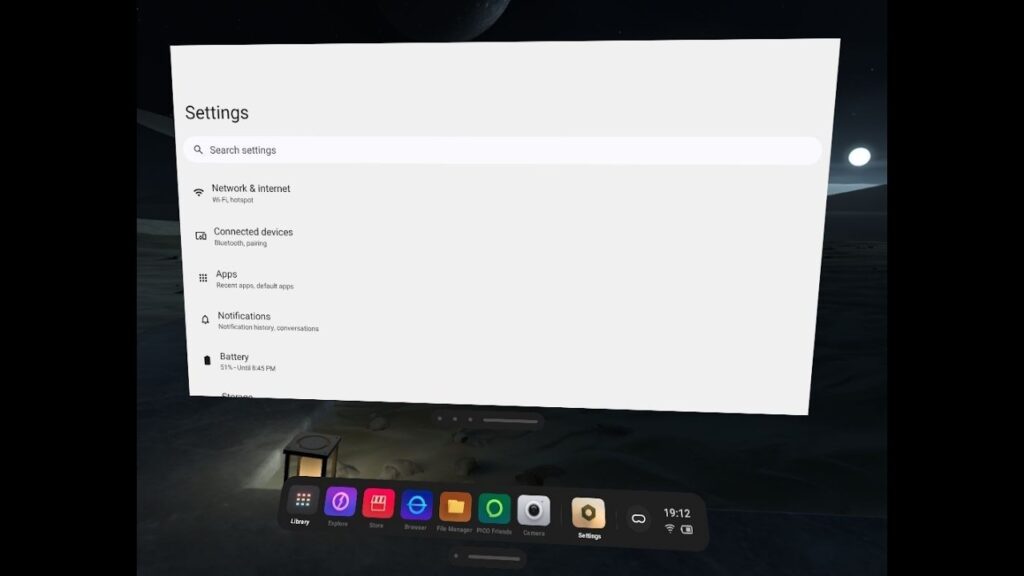
So you have a standalone VR headset from Pico VR. It has its own settings menu, which works fine for VR purposes, but it nevertheless lacks many features.
What some people seem to fail to understand is that Pico VR is essentially a regular Android device, similar to a smartphone or tablet. It uses the same type of hardware, including the processor and SoC, and it runs the same Android operating system, albeit with a heavily customized interface.
However, you can still install and use regular Android applications. And on Android, the settings menu itself is just another application.
So, if you want to access the regular Android settings on your Pico VR headset, you simply need to install the Android Settings app.
You can install it directly from an APK file. That means you either download and copy the required APK to the headset, or download it directly on the headset using the built-in internet browser. Then you can use the standard sideloading feature to install it.
I found the same System Settings application in two versions, with the only difference being the app icon. One version is tailored specifically for Pico and resembles the regular Pico Settings app, but with a different color icon.
Personally, I find that a little confusing, so I installed the regular Settings app, which uses the green Android robot icon. For me, it is much easier to distinguish between the two apps.
But it’s entirely up to your preference, since the icon is the only difference between those APKs. They are exactly the same, and when you launch the app, you will see all the regular Android functions, including Developer Options activation.
There is also another special app from Pico called Developer Settings. The options are all in Chinese, and there are some powerful settings that could seriously mess up your headset.
So I do not recommend experimenting with it unless you are absolutely sure what you are doing.
Download: click here